

 ABK
ABK Alphacool
 Aqua Computer
 Aqua Tuning
 Arctic
 Barrow
 Barrowch
 EKWB
EKWB Hardware Labs
 Kingpin Cooling
 Phobya
 Prolimatech
 Thermal Grizzly
 Watercool
Uncategorized
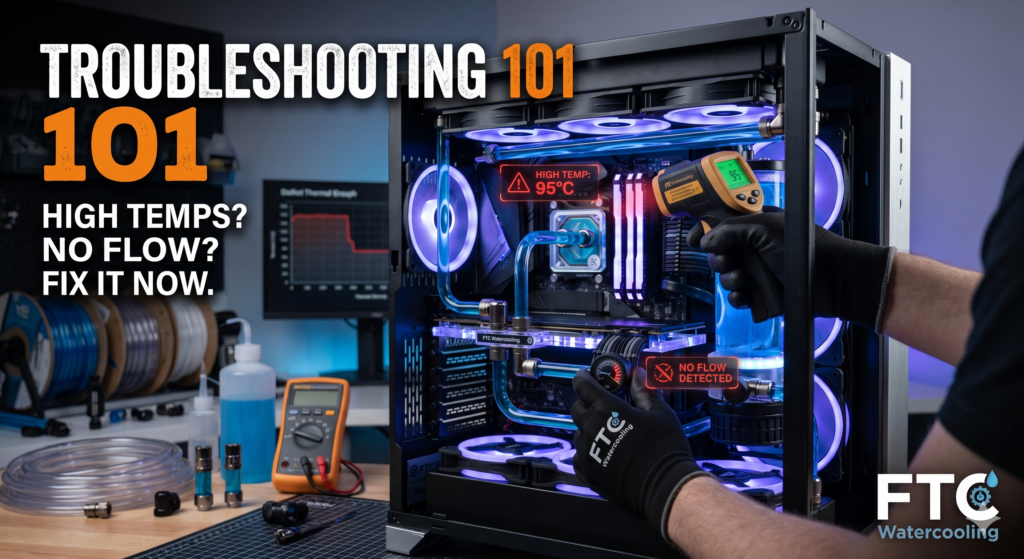
Troubleshooting 101: High Temps? No Flow? Here’s How to Fix It
14
Apr
Apr
You’ve spent hours bending tubes, routing cables, and filling your reservoir. You press the power button, the RGB lights up in all its glory, but then panic sets in. Your CPU temperatures spike into the 90s, or worse, the coolant in your new loop isn’t moving at all.
Take a deep breath. Every seasoned PC builder has been there. A custom liquid cooling loop is a beautiful, high-performance machine but requires some fine-tuning. Today, we will walk you through the most common culprits behind flow issues and thermal spikes and how to fix them.
🛑 Scenario A: The “No Flow” Crisis
If your pump is silent or your flow indicator isn’t spinning, shut down the system to prevent overheating. Here’s how to diagnose a stalled loop.
1. The Air Lock (The Most Common Culprit)
Water pumps push liquid well but are terrible at pushing air. If a large air pocket gets trapped inside the pump housing, the impeller will spin freely without moving any coolant.
- The Fix: With the pump running (ideally using a PSU jumper so other components are off), gently tilt your PC case side-to-side and back-and-forth. You should hear a distinct “gurgle” as trapped air escapes into the reservoir and fluid takes its place.
2. Power and PWM Connections
It sounds obvious, but a loose cable silently kills custom loops. Many modern D5 and DDC pumps have two cables: a SATA/Molex connector for power and a 4-pin PWM header for speed control.
- The Fix: Ensure the primary power cable is firmly seated in the power supply. Next, check the PWM cable. If it’s plugged into a motherboard header set to a 0 RPM “silent” curve in the BIOS, the pump won’t spin. Try unplugging the PWM cable temporarily; most pumps default to 100% speed when only receiving SATA/Molex power.
3. Blockages and Kinks
If you use soft tubing, a tight bend can collapse and pinch off water flow. If you use opaque coolants or haven’t flushed your system in over a year, buildup might clog the micro-fins of your water blocks.
- The Fix: Inspect all soft-tube runs for kinks. If your tubes are clear, check your CPU and GPU blocks with a flashlight. If you see gunk or color separation trapped in the fins, drain the loop, disassemble the blocks, and gently scrub them with a soft toothbrush and distilled water.
🌡️ Scenario B: The “High Temp” Headache
Your pump is humming, the fluid is moving well, but your hardware is still thermally throttling. The issue isn’t fluid delivery; it’s heat transfer.
1. The Dreaded Plastic Peel
Did you remember to peel the protective plastic off the bottom of your CPU or GPU water block?
- The Fix: If you aren’t sure, drain the loop and remove the block. That tiny strip of invisible plastic acts as a perfect thermal insulator. Remove it, clean the hardware, and reinstall.
2. Mounting Pressure and Thermal Paste
Water blocks require even, firm pressure to contact the silicon properly. If you tightened one side completely before the other, the block might sit at a slight angle.
- The Fix: Remove the block and check your thermal paste spread. If half the CPU is bare, you have a mounting issue. Clean it with isopropyl alcohol, reapply a pea-sized drop of high-quality thermal paste, and screw the block down in a crisscross pattern, turning each screw a few times until finger-tight.
3. Thermal Pads (GPU Blocks)
GPU blocks are finicky because they cool the core, VRAM, and VRMs simultaneously. If you used a 2mm thermal pad where a 1mm pad was required, the pad will “prop up” the cooler, preventing the copper cold plate from touching the GPU die.
- The Fix: Double-check your GPU block’s manual. Ensure you used the exact thickness of thermal pads specified for each component.
4. Radiator Airflow and Fan Orientation
Your loop can only cool components as well as the radiators dissipate heat. If your fans are choked for air or all installed as exhaust (meaning no fresh, cool air enters the case), your water temperature will climb.
- The Fix: Ensure a balanced airflow setup (e.g., front/bottom intake, top/rear exhaust). Check that your fans spin up under load—you may need to adjust fan curves in the BIOS or fan control software to respond to water temperature rather than CPU temperature.
A Final Word from FTC Watercooling
Building a custom loop is a labor of love. Don’t let a minor setback ruin the experience. 99% of cooling issues come down to trapped air, a loose cable, or a seating issue with a block. Take your time, work methodically, and you’ll have record-low temperatures soon.
If you find that your pump has actually given up the ghost, or if you’re ready to upgrade to some high-performance radiators to tackle those thermal spikes, head over to the FTC Watercooling Shop. We stock only the highest quality pumps, blocks, and fittings to keep your rig running ice cold.
Stay cool, and happy building!
